

1
/
of
7
goBILDA
Servo Monitor
Servo Monitor
3109-0005-0001Regular price
178,90 lei
Sale price
178,90 lei
Unit price
/
per
Tax included.
⚠️ This product is available on backorder. Estimated delivery time is 3-12 business days after payment confirmation, based on the shipping option chosen at checkout (Economy, Standard or Priority).
📦 Final shipping cost may increase if your cart contains products from multiple vendors (e.g., 2 vendors = 2 shipping charges).
📦 Final shipping cost may increase if your cart contains products from multiple vendors (e.g., 2 vendors = 2 shipping charges).
SKU: 3109-0005-0001
Couldn't load pickup availability
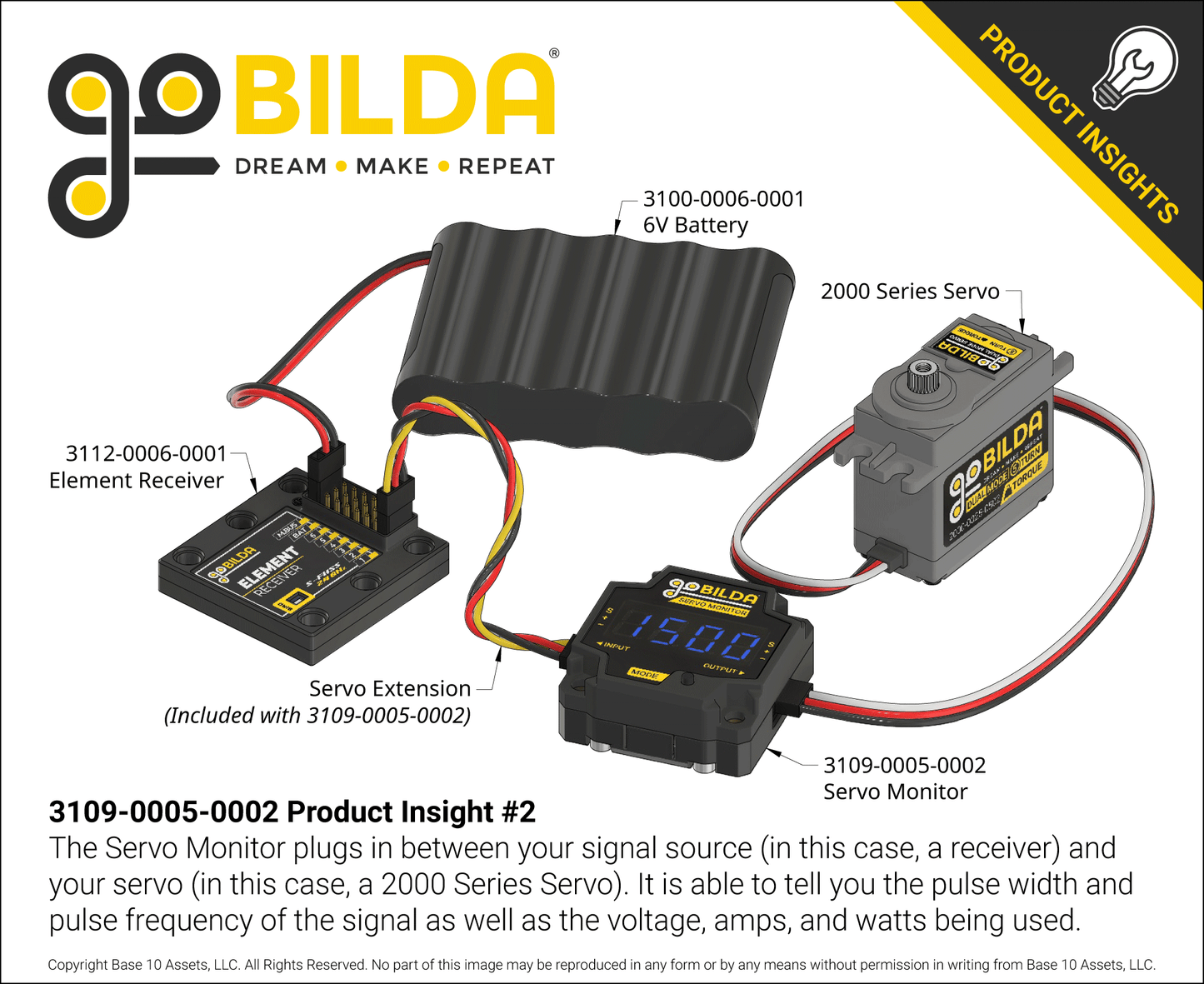
The Servo Monitor is a tool that allows you to easily check servo vitals. Just plug a servo controller into one side and a servo into the other. The screen will display the value for the selected mode in real time! Press the pushbutton to cycle through the five modes.
Modes:
-
Voltage
This mode displays the voltage being sent to the servo. Sending the correct voltage to a servo is important, and this mode keeps you in-the-know about any excessive voltage, as well as the battery's charge level. -
Current
In this mode, the Servo Monitor displays the current draw, in amps. Comparing this number to the servo’s specified stall current can give you an indication of how hard the servo is working to perform a task. A current draw nearing stall suggests you rethink the design of your mechanism. Changing a gear ratio or moment arm can help to increase the mechanical advantage in order to keep the current at bay. -
Power
This mode displays the amount of power (in Watts) that the servo's motor is using. While the power in watts can also be derived by multiplying the voltage by the current, you can leave your abacus at home—this mode does that math for you! -
Pulse Width
In this mode, the Servo Monitor displays the width of the pulse of the signal being sent to the servo. This value is displayed in microseconds (μsec) and is the core of how servos are controlled. The pulse width tells the servo where to rotate to (or for continuous rotation servos, what speed and direction to achieve). It’s super helpful to know the pulse width—you can, for example, use it to determine what PWM range your transmitter is sending, or confirm that the code you wrote for your Arduino is working correctly. -
Pulse Frequency
In this mode, the Servo Monitor displays the frequency of the Pulse Width Modulation (PWM) Signal. This value is displayed in hertz (how many pulses per second). This is a generally less-critical value than the pulse width, but it can be useful during troubleshooting.
Mounting
While the Servo Monitor is designed for usage as a hand-held tool, some projects may benefit from having a hard-mounted, real-time readout. To that end, all of the Servo Monitor’s thru-holes have hex counterbores that provide for an easy one-tool installation!
Downloads
Specs
| Weight | 21g (with included wire) |
|---|---|
| Input Voltage Range | 3.3-15 VDC |
| Current Consumption | 20mA |
| Pass through Current Max | 10A |
| PWM Range | 0 - 3200 μsec |
| Frequency Range | 1-1000Hz |
| Current Sensing Accuracy | ±5% |
| Voltage Sensing Accuracy | ±5% |
| Pulse Width Sensing Accuracy | ±0.1% |
| Frequency Sensing Accuracy | ±0.1% |
| Included Wiring | 1 x 100mm Length Male to Male Servo Extension |